System to System APIs
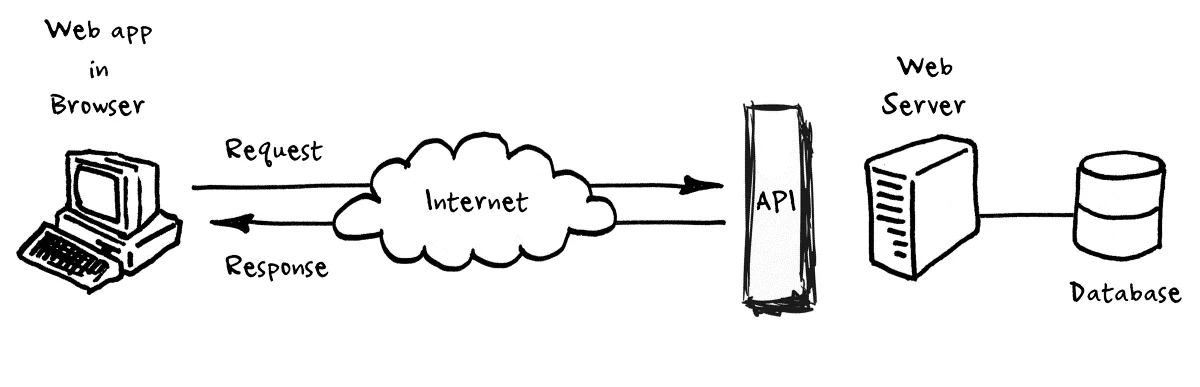
API Frontend to Backend Overview
This blog expects an understanding of RapdiAPI and using Python for request and response to obtain data. Additionally, it is shows that access to data can occur across Web Applications. Key takeaways from this blog…
- Review API Terms
- Flask/Python to provide API to simplify access for JavaScript Frontend developer.
- API credentials are hidden
- Cache and calling RapidAPI or other APIs less
- Access Control, firewall issues in Backend
- FastPages/JavaScript handles formatting of data.
- Understand Fastpages server <--> Flask Server <--> RapidAPI Server
Flask/Python Code
The Flask/Python Code has been heavily commented. Additionally, the file can be run, tested, and debugged. The lecture that goes with this will required students to step through debugging session as they review the code.
- VSCode Project: flask_portfolio
- Python File: api/covid.py
The biggest learnings in Backend, in this code, versus Jupyter Notebook…
- Blueprint for covid.py, the interaction and registration with main.py
- The use of updateTime(), to only call API every 24 hours
- Being able to Debug main tester method, this is critical to speeding development.
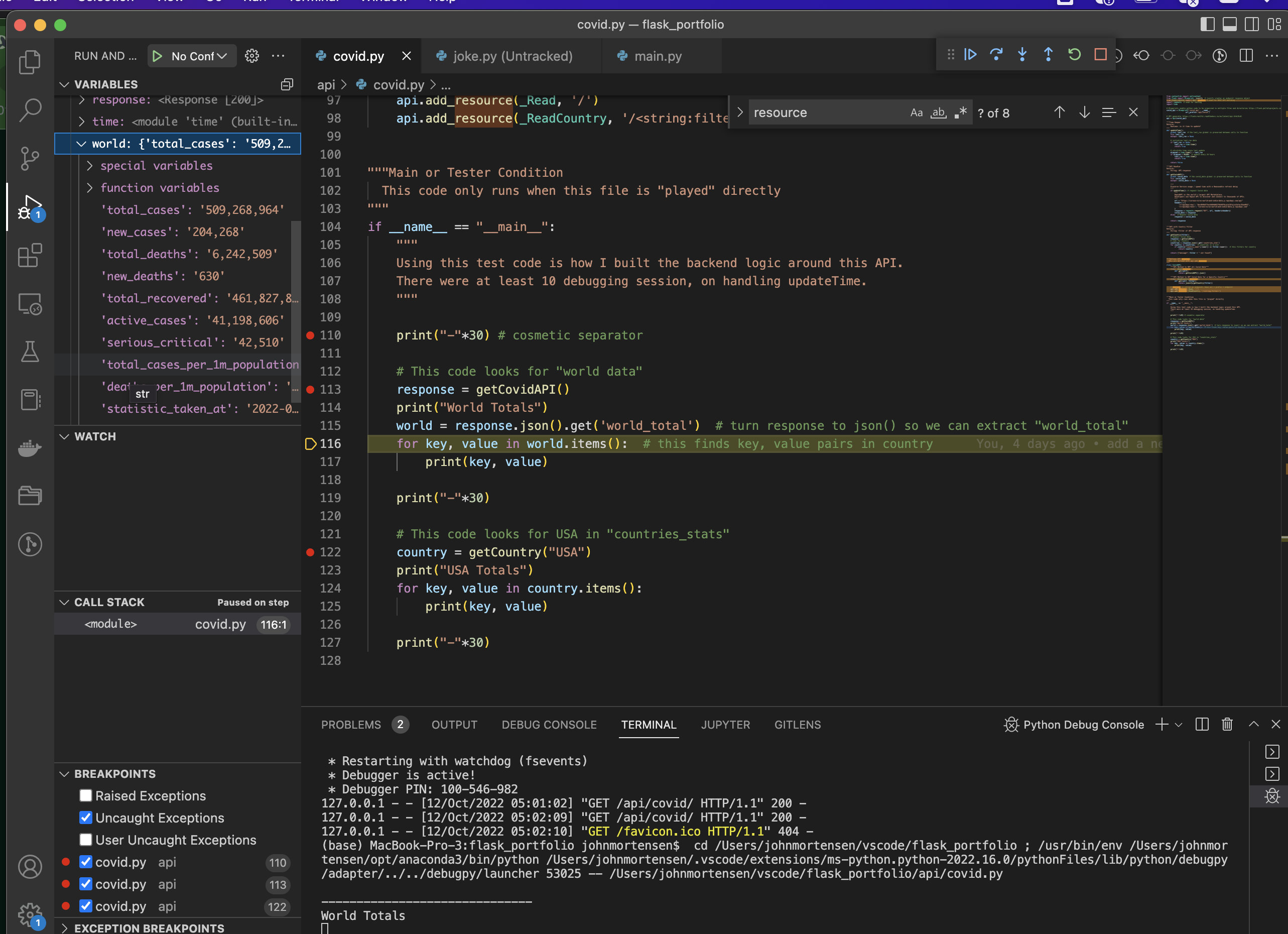
- Understanding the API resources and how they are run as a service through the Web Application
- Set Breakpoint in covid.py file.
- Run Server in Debug, select to right of play button an pick Debug.
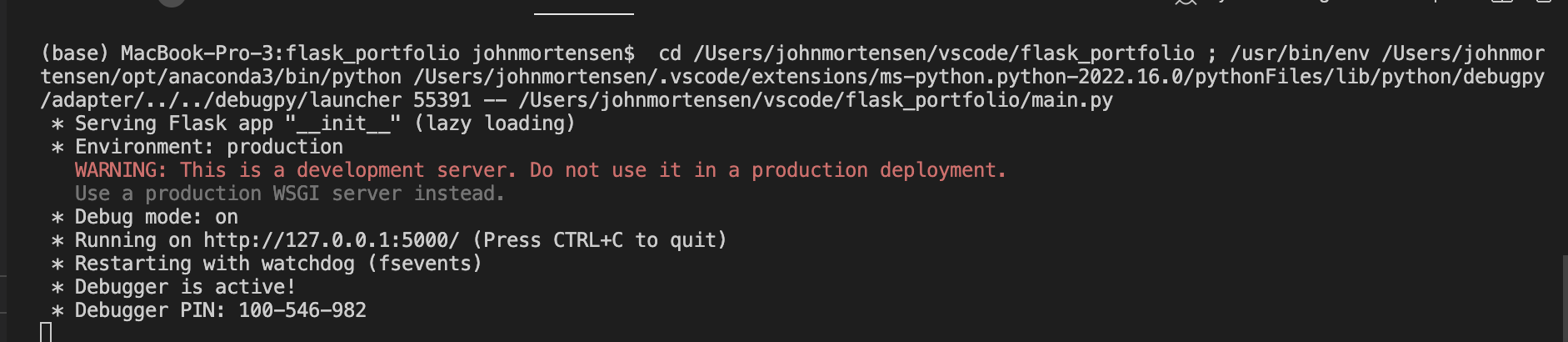
- Access API through browser, this will stop at selected breakpoint.
Fastpages/JavaScript Code
The JavaScript Code has been documented and featured in the Fastpages site. The lecture that goes with this blog will share how to debug the JavaScript using the Chrome Browser.
- VSCode Project: APCSP
- JavaScript/Markdown File: 2022-07-10-PBL-rapidapi.md
The biggest learning in Frontend, in this code, will be the interaction between HTML and the JavaScript. This is called the Document Object Model (DOM).
- In this example. an HTML table is setup and JavaScript is used to Create and Update Element IDs in the Table. This is similar to the JavaScript table made in the Python Jupyter notebook, the big difference is the DOM syntax.
- The concept of for loop is the same, though the syntax
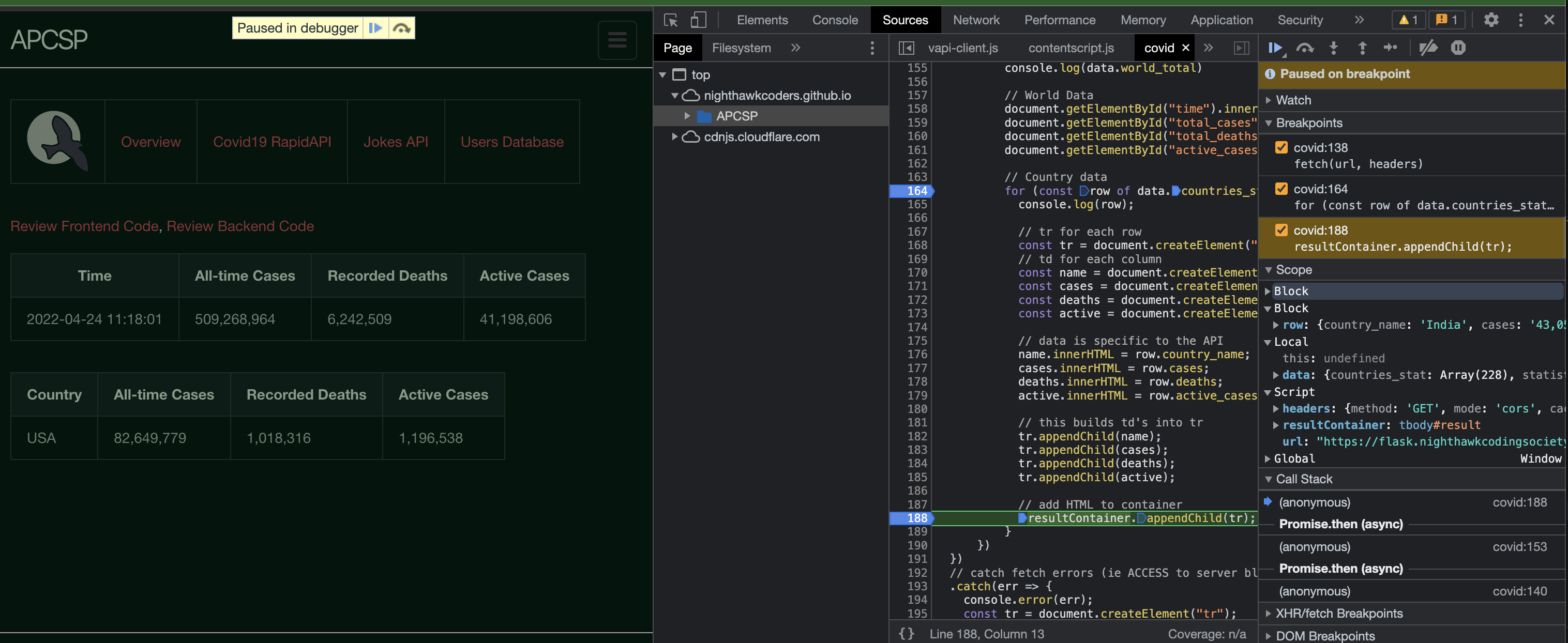
for (const row of data.countries_stat)and keywords are different.- Visual shows Inspect on a Chrome Browser. Load correct source, set breakpoints and reload page. Code is in center and data is on the right in illustration. This can reorient according to size of Source window.
Hacks
The big focus on of this hack is for students to adapt the project(s) to something that is helpful to the Scrum Teams final project.
- Requirements System to System. Your team project needs to have a Frontend and Backend that are distinct projects.
- Distribution of Development between Frontend and Backend developers. As you divide work and systems, I would suggest Scrum Master and Devops Engineer join either Frontend or Backend.
- A Teacher suggestion is to start by using these files very closely! Make very small changes while incorporating API specific to the team.